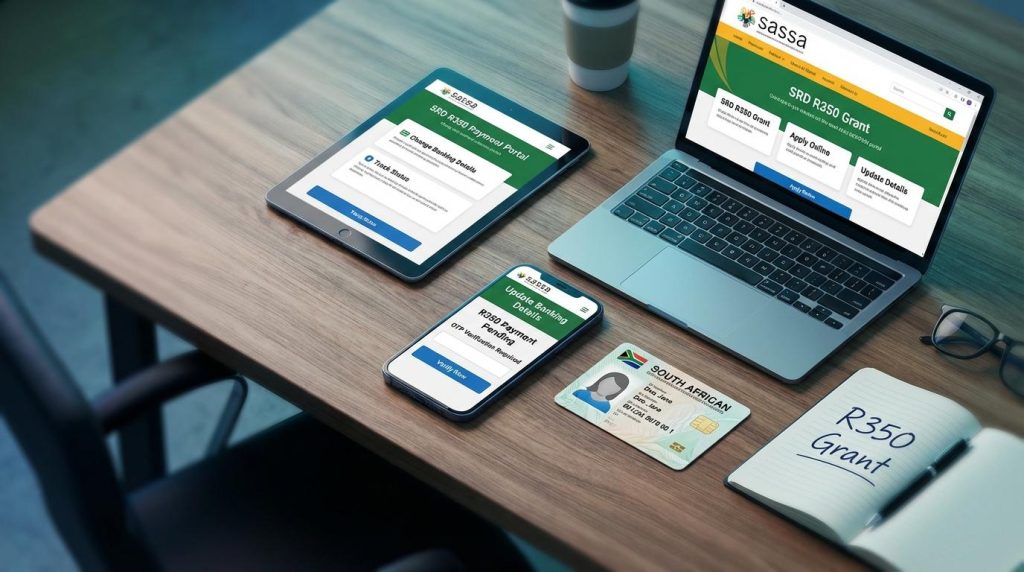
If you need to change banking details SASSA R350, it’s important to understand that this process directly affects your SRD payment approval and monthly verification. Many applicants request a banking update after a closed account, incorrect account number submission, failed payment, or when switching from cash sent to a personal bank account.
What most people don’t realize is that every time you update SRD banking details online, SASSA runs a fresh verification check to confirm account ownership, identity matching, and income eligibility.
This guide explains not only how to change banking details SASSA, but also the SRD banking update processing time, what happens during the SASSA verification process, common rejection triggers, and how to safely complete your update without risking payment delays. By understanding the system behind the update, you can protect your grant and avoid unnecessary disruptions.
Why You May Need to Change Banking Details SASSA R350
There are several genuine situations where applicants need to change banking details SASSA R350 to continue receiving their SRD payments without disruption. What many people don’t understand is that updating your bank information is not just a simple edit. It directly affects the SASSA verification process, payment approval cycles, and monthly eligibility checks. Even a small mismatch can delay or pause your grant.
Let’s break down the most common reasons and how they impact your SRD grant.
• Bank Account Closed
If your bank account is closed due to inactivity, debt review, or personal choice, SASSA payments will automatically fail. When this happens, you must update SRD banking details online to prevent future payment rejections.
Verification impact:
SASSA rechecks whether the new account is registered in your name and linked to your ID number before releasing funds.
• Incorrect Account Number Submitted
Entering even one wrong digit can cause payment reversal or deposit failure. In some cases, the bank may reject the transaction immediately.
Verification impact:
When you change banking details SASSA, the system revalidates account ownership and identity matching through banking databases.
• Payment Failed or Reversed
Sometimes payments are processed but reversed due to account mismatch, frozen accounts, or technical bank issues.
Verification impact:
A reversed payment may trigger additional compliance checks, which can slightly increase the SRD banking update processing time.
• Switching from Cash Send to Bank Account
Many beneficiaries prefer moving from cash send to direct bank deposits for safety and convenience.
Verification impact:
This change requires full account ownership confirmation and may activate a fresh income trace review as part of the monthly revalidation.
• Fraud or Security Concerns
If you suspect unauthorized access or someone entered incorrect banking details, you should immediately change banking details SASSA R350 through the official portal.
Verification impact:
Security-based updates may trigger enhanced identity confirmation to protect against fraud.
Before You Change Banking Details – Important Things to Check
Before you change banking details SASSA R350, pause for a moment. Most payment delays and verification issues happen not during the update, but because basic checks were ignored beforehand. When you update SRD banking details online, the system automatically runs a fresh SASSA verification process, including bank ownership validation and identity cross-checking. If something doesn’t match, your payment can be delayed or flagged.
This section can save you weeks of waiting.
5 Pre-Change Checks Most People Ignore
• Bank Account Must Be in Your Name
SASSA only approves payments to accounts registered under your own ID number.
Why this matters:
During the SRD banking update processing time, the system verifies account ownership through banking databases. If the account belongs to someone else, the update will be rejected automatically.
• ID Must Match Bank Records
Your name and ID number must exactly match what your bank has on file.
Why this matters:
Even small spelling differences can fail identity validation during the SASSA verification process. A mismatch triggers manual review or outright rejection.
• Phone Number Linked to Application
The mobile number used for OTP verification must be the same one linked to your SRD application.
Why this matters:
The system uses your phone number as a fraud-prevention layer. If it doesn’t match, OTP verification may fail and delay the banking update.
• No Suspicious Income Spikes
If your bank account shows recent large deposits or regular income, it may affect eligibility.
Why this matters:
When you change banking details SASSA R350, the system may re-run income detection checks. Unusual income activity can trigger additional review under monthly revalidation rules.
• Avoid Multiple Rapid Updates
Do not submit repeated banking changes within a short period.
Why this matters:
Frequent updates can flag your profile as high-risk in automated compliance systems, increasing the SRD banking update processing time or pausing payments temporarily.
Step-by-Step Guide to Change Banking Details SASSA R350
If you want to change banking details SASSA R350, it is important to follow the official process carefully. A single mistake, such as entering the wrong ID number or bank account, can delay your SRD payment for weeks. Below is the correct and safe method to update SRD banking details online without risking rejection or unnecessary verification delays.
Step 1 – Visit the Official SRD Portal
Go only to the official SRD SASSA website. Avoid clicking on links from WhatsApp messages, Facebook posts, or SMS alerts claiming to offer faster updates.
Why this matters:
Banking updates done outside the official portal can expose your ID number and phone number to fraud. Always confirm you are on the genuine SRD website before proceeding.
Step 2 – Choose “Update Banking Details”
Once on the portal, locate the option that allows you to update or change your banking information for the SRD R350 grant.
Pro Tip:
Do not select appeal or status check options if your goal is only to change bank details.
Step 3 – Enter Your ID Number
Provide your South African ID number exactly as submitted in your original SRD application.
Important:
If the ID does not match your initial application, the system will block access immediately.
Step 4 – OTP Verification
After entering your ID, an OTP will be sent to the phone number linked to your SRD application.
Security Reminder:
Never share this OTP with anyone. SASSA does not call or ask for your OTP. This step confirms you are the legitimate applicant.
Step 5 – Enter New Bank Details
Carefully input your new banking information, including:
- Bank name
- Account number
- Account type
Make sure the bank account is registered in your name.
Verification Insight:
When you change banking details SASSA R350, the system cross-checks your ID against bank records. If the account holder name does not match, the update will fail during the SASSA verification process.
Step 6 – Confirm and Submit
Review all details before submitting. Double-check every digit of your account number.
After submission, you should receive a confirmation message indicating that your request to update SRD banking details online has been received.
What Happens Next?
Your new details will go through bank ownership verification and identity validation. This may take several working days, depending on the SRD banking update processing time and payment cycle schedule.
Following these steps carefully ensures your banking update is processed smoothly and reduces the risk of payment delays or rejection.
How Long Does It Take to Change Banking Details SASSA R350?
When you change banking details SASSA R350, the update is not instant. In most cases, the SRD banking update processing time takes around 5 to 10 working days, depending on verification checks and the monthly payment schedule.
Many applicants expect the new account to reflect immediately, but the system runs several background validations before approving your updated bank details.
Normal Processing Timeline (5–10 Working Days)
Typically, the timeline looks like this:
- 1–3 working days for bank ownership confirmation
- 2–5 working days for identity and eligibility validation
- Extra time if manual review is triggered
If there are no mismatches, your new banking details are approved within this window.
Why Delays Sometimes Happen
Even if you correctly update SRD banking details online, delays may occur due to:
- Account not registered in your name
- ID number mismatch with bank records
- Recently closed or restricted account
- System congestion during payment week
- Fresh income detection screening
Every time you change banking details SASSA R350, the system may re-run eligibility checks. This is where many applicants see delays.
How Bank Verification Works
After submission, your details are sent for automated validation. The bank confirms:
- Account holder name matches your ID
- Account is active
- No ownership conflicts
If anything fails, the update is paused or rejected before payment is processed.
Payment Cycle Alignment Matters
If you update your banking details close to the monthly payout date, your payment may not reflect in the current cycle. Instead, it may move to the next scheduled batch.
This does not mean your grant is declined. It simply means verification was not completed before payment processing began.
To stay updated, monitor your approval through the SRD SASSA status check after submitting your banking update.
What Happens After You Change Banking Details?
Many applicants think once they submit the update, the process is finished. In reality, when you change banking details SASSA R350, your profile enters a fresh layer of the SASSA verification process. This is where most delays happen, and understanding it helps you stay patient and avoid unnecessary panic.
Here’s what technically happens behind the scenes.
• Bank Account Ownership Verification
The system first checks whether the new bank account is registered in your name and linked to your ID number.
Banks confirm:
- Account holder name
- ID number match
- Account status (active or closed)
If the account belongs to someone else, is frozen, or inactive, the update is rejected automatically. This is why SASSA does not allow third-party accounts for SRD payments.
• Cross-Check with Home Affairs
After bank validation, your ID details are verified against the Department of Home Affairs database.
They confirm:
- Identity validity
- Citizenship or residency status
- Life status confirmation
If your ID information does not match official records, your application may be flagged for manual review.
• Income Detection System
When you update SRD banking details online, the system may also re-run income screening checks.
This includes:
- Banking activity scans
- Employment database checks
- UIF and NSFAS cross-referencing
If recent deposits suggest regular income above the eligibility threshold, it can affect your approval or delay payment under review.
• Monthly Revalidation
The SRD grant is not permanent. Every month, SASSA automatically reassesses eligibility.
Even after you change banking details SASSA R350, your profile continues to undergo:
- Income rechecks
- Identity confirmation
- Banking status monitoring
This means approval today does not guarantee automatic approval next month.
Why This Matters
Understanding the full SASSA verification process explains why updates may take several working days. It is not just a data edit. It triggers identity, banking, and income validation layers designed to prevent fraud and ensure only eligible applicants receive payment.
Knowing this helps you monitor your status calmly and avoid making repeated changes that could extend processing time.
Common Problems When Changing Banking Details SASSA
When applicants try to change banking details SASSA R350, certain technical or verification issues can delay approval. Below are the most common problems and quick, practical solutions for each.
• OTP Not Received
Solution: Make sure your registered phone number is active, has a network signal, and matches the number linked to your SRD application before retrying.
• Banking Details Rejected
Solution: Confirm the bank account is in your name and that your ID and account holder details match exactly to avoid ownership verification failure.
• Account Mismatch Error
Solution: Double-check spelling of your name and ensure your bank records match Home Affairs data to prevent identity validation conflicts.
• Pending for Weeks
Solution: Avoid submitting multiple updates; instead, wait for the full verification cycle and monitor progress through your status check portal.
• Payment Sent to Old Account
Solution: If the update was made close to the payment date, wait for the next payment cycle, as changes may only apply after full verification approval.
If your banking update leads to a declined payment, review the exact cause before filing an appeal. Many cases relate to income detection or verification conflicts, which are common reasons of SRD appeal rejections. Understanding the root issue first increases your chances of successful resolution.
Safety Guide – Avoid Fake Banking Update Scams
When you change banking details SASSA R350, security should be your top priority. Fraudsters often target SRD beneficiaries with fake update links and calls.
- Never share your OTP with anyone. It is strictly for your verification.
- Use only the official SRD portal for banking updates.
- Ignore WhatsApp or SMS links claiming to update your bank details.
- No agents are required to change your banking information.
- Protect your ID number and personal details at all times.
Conclusion
Changing your details carefully is essential to avoid delays in your R350 payments. Always verify your information before you change banking details SASSA R350 and submit updates only through the official portal. Accurate information ensures smoother verification and faster approval of your updated banking details.